See your companies together
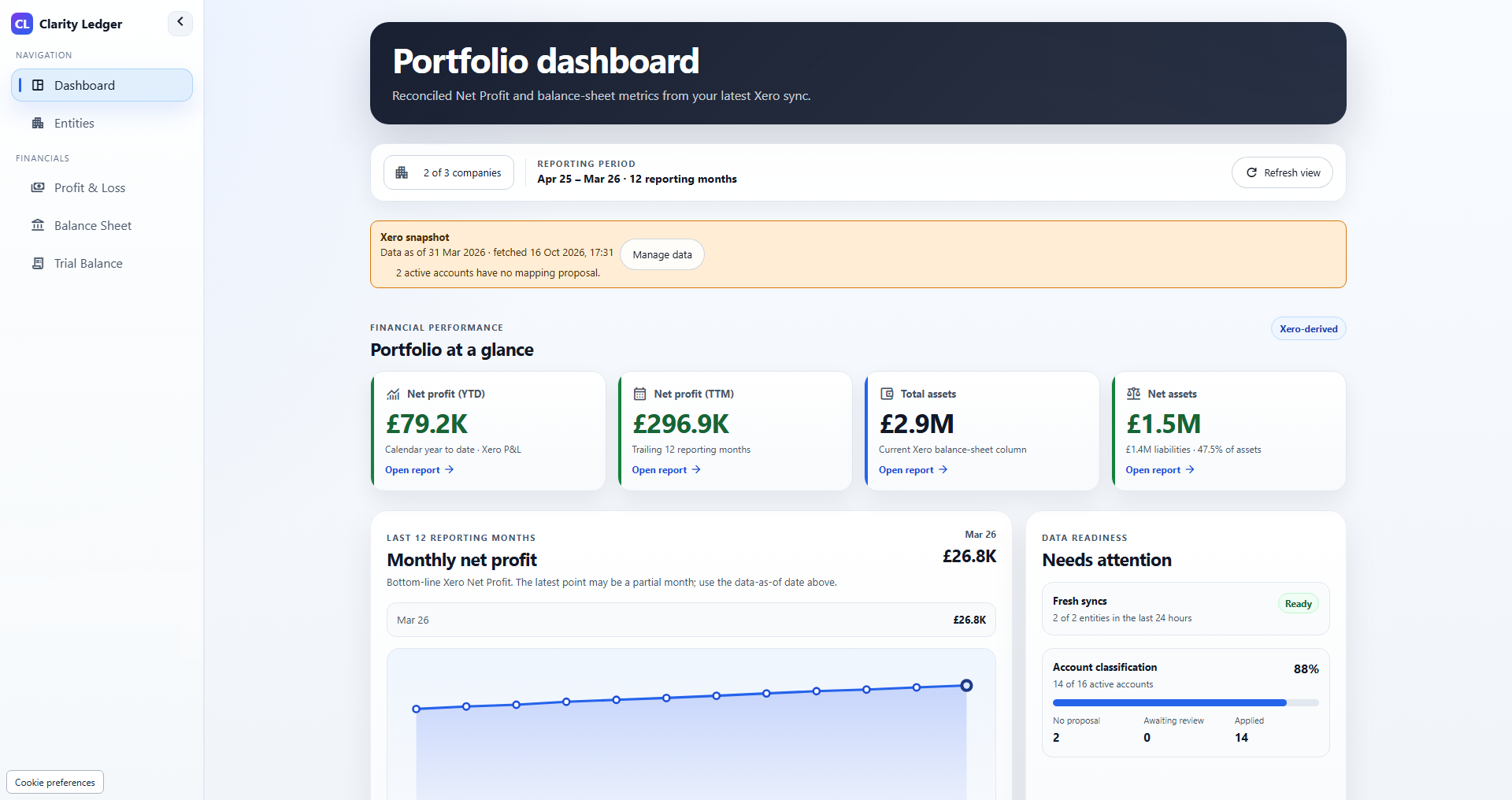
Choose the GBP Xero companies in your portfolio and review their financial position in one dashboard.
Property companies. Xero.
Review your portfolio’s profit and loss, balance sheets and trial balances, with account mappings you control.
21 days free for eligible portfolios. Then £49/month for Starter.
Up to 5 companies · Payment details required · Cancel before the trial ends to avoid the subscription charge.
See the product
An 84-second narrated tour of the actual application using fictional property companies. Follow company selection, profit and loss, balance sheet, mappings and trial balance, with captions available.
Illustrative demo data · Narration and captions · Play when you are ready
Read the accessible transcriptWorked property reporting example
Two fictional property companies use different account names for rent, repairs and management fees. Source view keeps their original classifications. Standard reports use account mappings that you review and apply.
These invented September 2026 figures are a signed example schedule, with income positive and costs negative. They include only three reporting lines and 100% of each SPV. They are not a customer report, a complete P&L or the app's screen layout.
Every mapping below needs review before it is applied. Check the account's actual use and supporting source report; a similar name alone does not establish the right classification.
| Company | Source account | Signed amount | Proposed Standard account |
|---|---|---|---|
| SPV A | 400 · Rent Received | £12,000 | 4000 · Rental income |
| SPV A | 610 · Repairs | -£1,500 | 6100 · Routine repairs |
| SPV A | 620 · Property Management | -£600 | 6200 · Property management fees |
| SPV B | 500 · Rental Income - Flats | £8,000 | 4000 · Rental income |
| SPV B | 732 · Contractors - Routine Repairs | -£1,000 | 6100 · Routine repairs |
| SPV B | 740 · Managing Agent Fees | -£400 | 6200 · Property management fees |
If these proposals are approved with no other changes, the expected Standard totals are below. Moving accounts into common reporting lines should preserve each SPV's subtotal and the combined total for the same scope and period.
| Reporting line | SPV A | SPV B | Portfolio total |
|---|---|---|---|
| Rental income | £12,000 | £8,000 | £20,000 |
| Routine repairs | -£1,500 | -£1,000 | -£2,500 |
| Property management fees | -£600 | -£400 | -£1,000 |
| Mapped example subtotal | £9,900 | £6,600 | £16,500 |
| Source example subtotal | £9,900 | £6,600 | £16,500 |
| Difference | £0 | £0 | £0 |
The £16,500 is only the subtotal of the three example lines. It is not NOI, cash flow, profit for the period or a property valuation. Full reports need all relevant accounts and reconciliation to their source.
Clarity Ledger uses saved historical report data from the latest successful sync. Compare matching periods, check sync dates and warnings, and review mapping gaps before relying on the figures.
Account mapping aligns classifications. It does not perform intercompany eliminations, ownership adjustments or statutory consolidation. Property KPIs such as NOI and yields need separate calculations and documented definitions.
Download the Xero SPV account mapping template (CSV). It includes these fictional rows with review required. Use it as a separate planning worksheet; it is not an automatic import into Clarity Ledger.
Follow the SPV account mapping guide and the property SPV consolidation controls to document the wider review process.
Built for property finance
Choose the GBP Xero companies in your portfolio and review their financial position in one dashboard.
Review and apply account mappings for Standard reports, or keep original Xero classifications in Source view.
Review profit and loss, balance sheets and trial balances, with saved reporting dates and visible mapping gaps.
From connection to comparison
Your Xero books stay in Xero. Clarity Ledger brings saved financial reports and your reviewed mappings into a shared portfolio view.
How the Xero connection worksFor the wider finance process, read our guide to SPV consolidation controls and account mapping across property SPVs. Ownership adjustments and eliminations require a separate reviewed workflow.
Create an account, choose your plan and complete checkout.
Authorise Xero, choose your companies and wait for the first successful sync.
Check account mappings, reporting dates and any warnings before comparing your companies.
Starter · Up to 5 companies
Then £49/month, billed monthly.
One trial per eligible portfolio. Payment details required. Cancel before the trial ends to avoid the subscription charge. New subscriptions are subject to availability.
Need more companies? Compare all plans.
Property business owners and finance teams reporting across companies that use Xero with GBP as their base currency. Starter includes up to five companies; larger plans are available.
Create an account, choose a plan and complete checkout. A 21-day trial is available once per eligible portfolio. Payment details are collected at checkout. Your selected paid subscription starts after the trial unless you cancel before it ends. Review the plan, billing frequency and cancellation terms at checkout.
No. The reporting connection reads organisation details, accounts and financial reports. It does not create or update Xero invoices, journals, payments or account codes.
Reports use the latest successful saved sync. Check reporting dates and sync warnings before relying on the figures. Request a fresh sync when you need updated data; completion depends on your data and Xero availability.
A portfolio dashboard, profit and loss, balance sheet, trial balance and account mappings you review. The current offer supports GBP Xero companies. Forecasting, AI commentary, currency conversion and QuickBooks are not included.