
GBP property portfolios on Xero
Bring your property companies into one portfolio view
Connect selected GBP Xero companies, review account mappings, and compare profit and loss, balance sheets, and trial balances using saved report data.
Explore Xero property reporting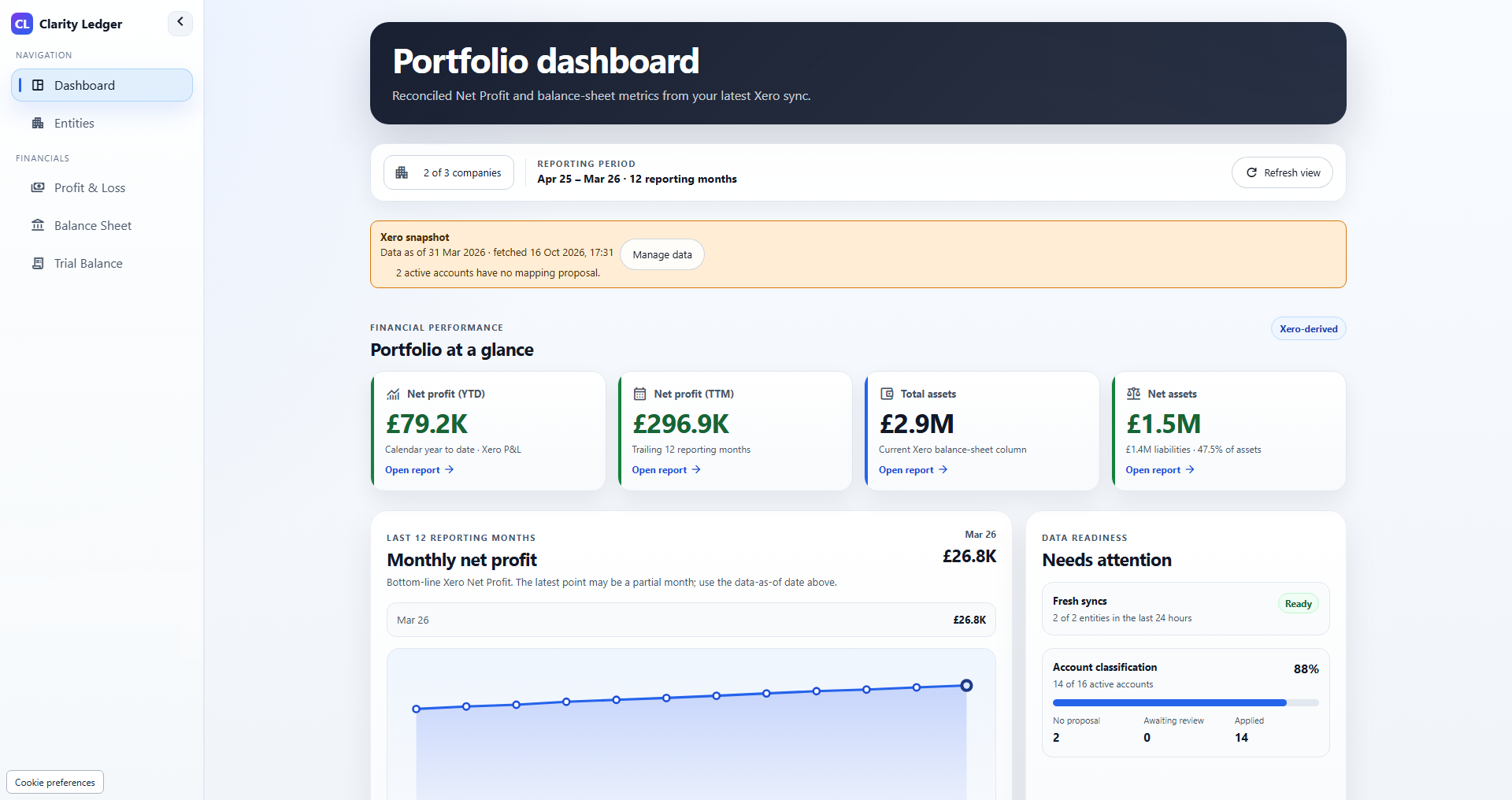
See the product
From portfolio overview to the detail behind a report.
An 84-second narrated tour of the actual application using fictional property companies. Follow company selection, profit and loss, balance sheet, mappings and trial balance, with captions available.
Illustrative demo data · Narration and captions · Play when you are ready
Read the accessible transcriptYour portfolio reports, brought together
Review your GBP Xero companies through a portfolio dashboard, account mappings, profit and loss, balance sheets, and trial balances.
One portfolio view across your GBP Xero companies
Choose the companies in your portfolio and review their financial position using saved Xero report data.
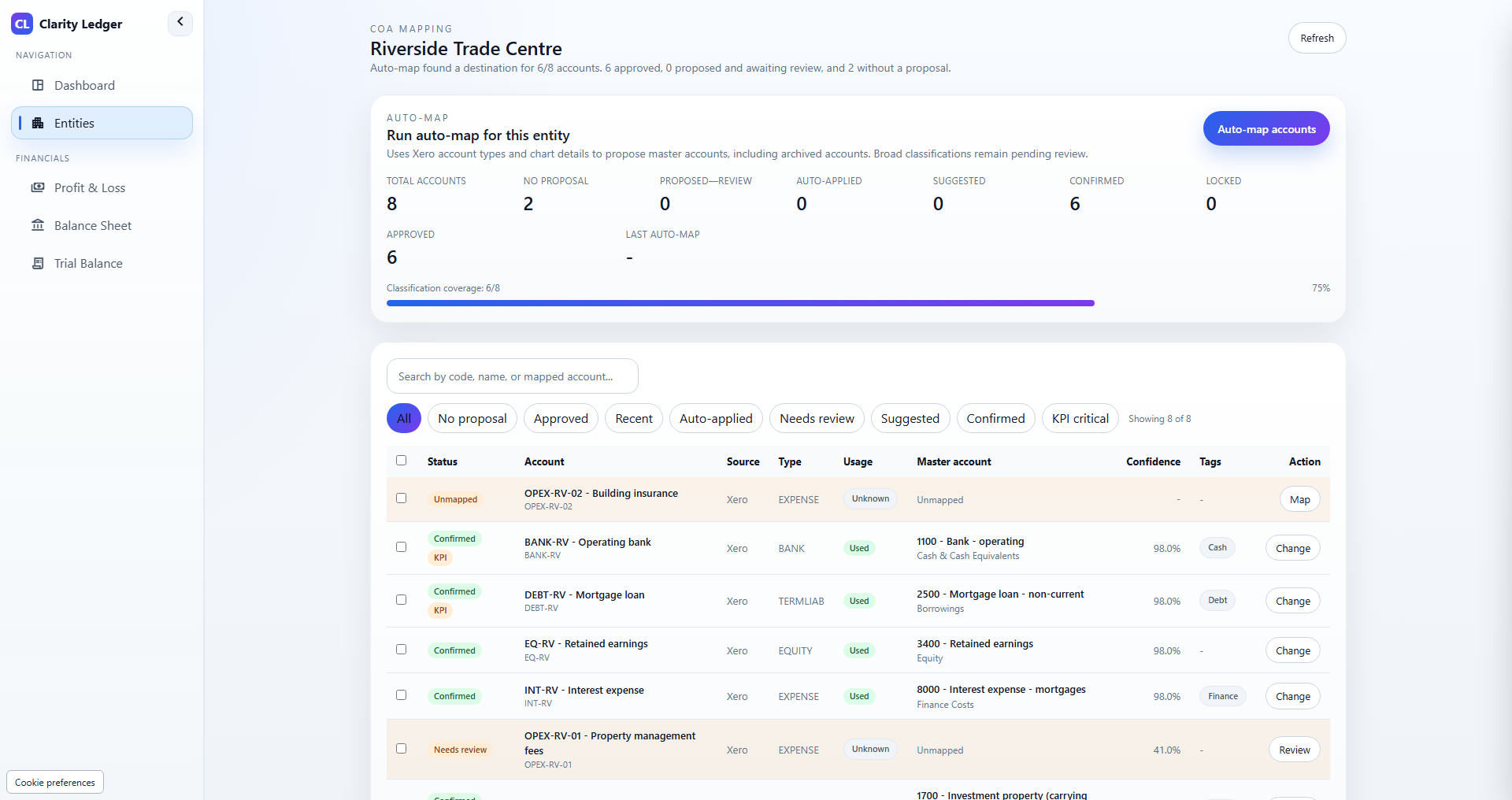
Standardised chart of accounts for clean roll-ups
Review each company's account mappings before using Standard reports to compare companies on a common chart.
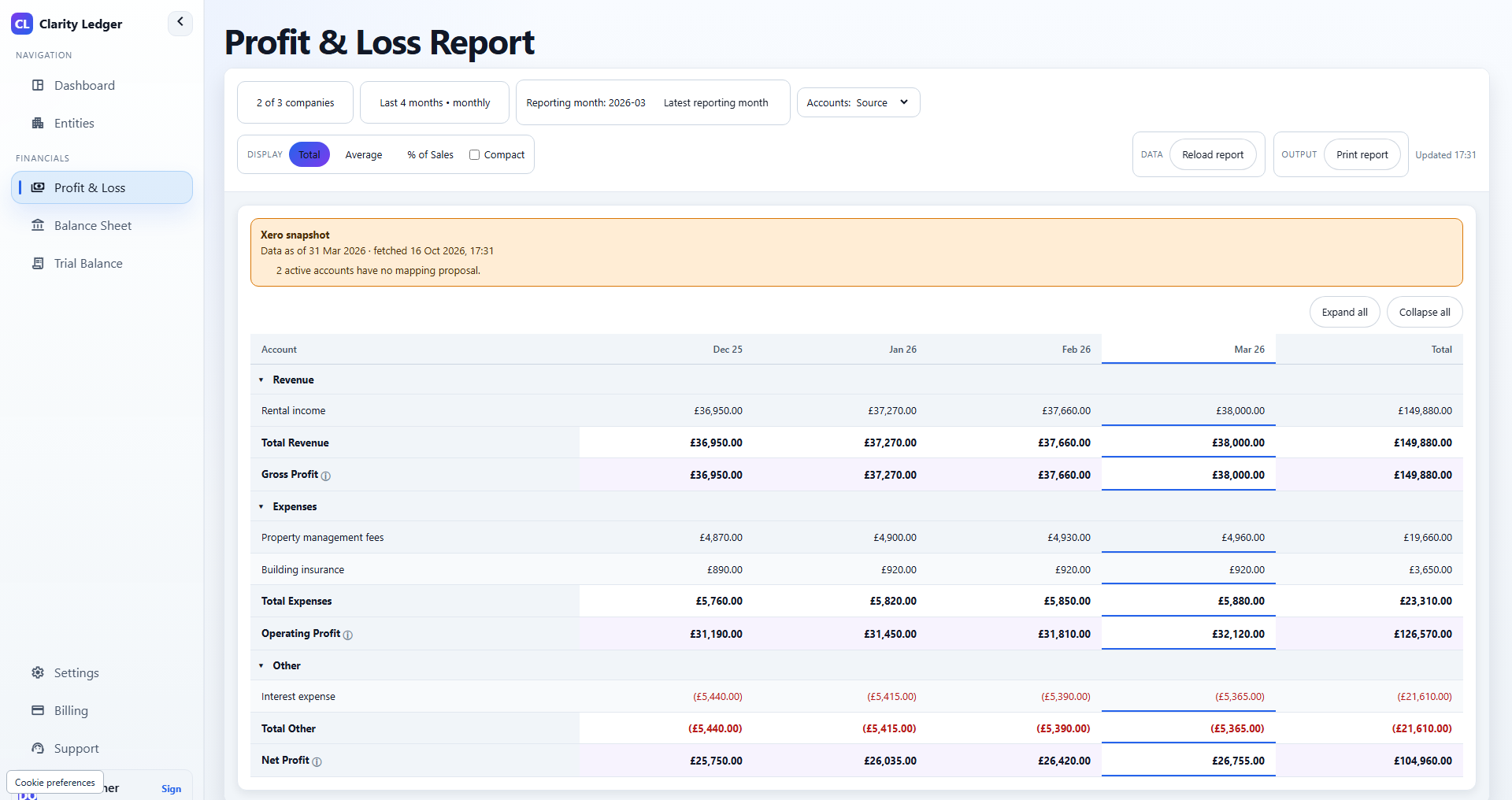
Profit and loss across your selected companies
Review revenue, costs, and profit by reporting period in Source or Standard view.
Balance sheet reporting for your portfolio
Compare assets, liabilities, and equity for your selected companies and reporting dates.
Trial balances with visible mapping gaps
Inspect Source debit and credit balances, then review Standard net balances and unclassified accounts.
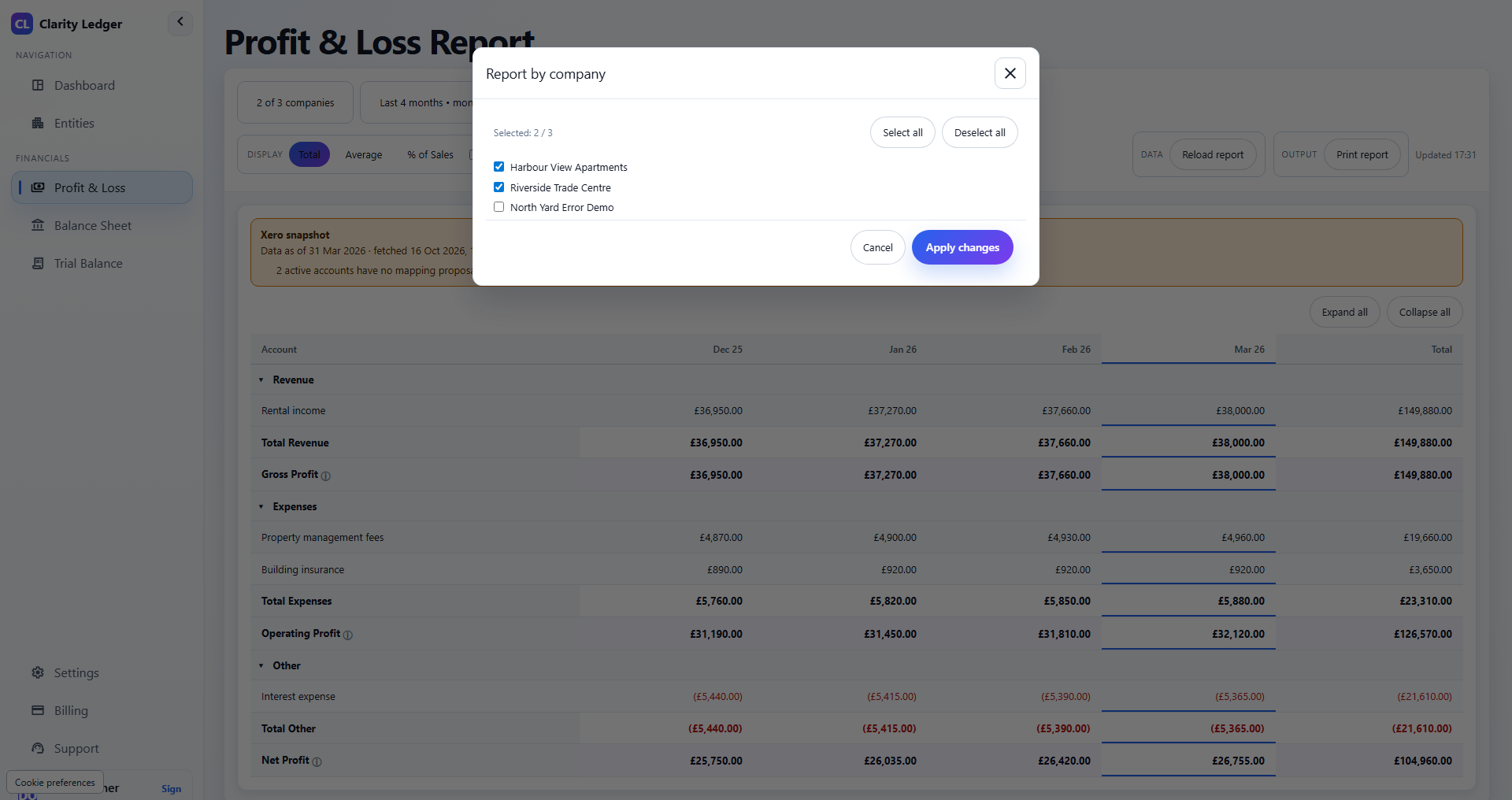
One portfolio view across your GBP Xero companies
Bring selected companies into one dashboard, with reporting dates and sync status visible alongside the figures.
- バSelect the GBP companies to include in your portfolio view.
- バReports use the latest successful saved sync, rather than live ledger balances.
- バCheck the data date and sync warnings before relying on a report.
Standardised chart of accounts for clean roll-ups
Map Xero accounts to a common reporting chart, with each company's mapping choices available for review.
- バReview proposed account mappings before applying them.
- バUse Source reports to inspect the original Xero account classifications.
- バResolve unmapped accounts before treating Standard classifications as complete.
Profit and loss across your selected companies
Compare historical income and expenses across reporting periods and selected companies.
- バView revenue, costs, and net profit by period.
- バSwitch between Source classifications and your reviewed Standard mappings.
- バExpand report sections to inspect the accounts behind a total.
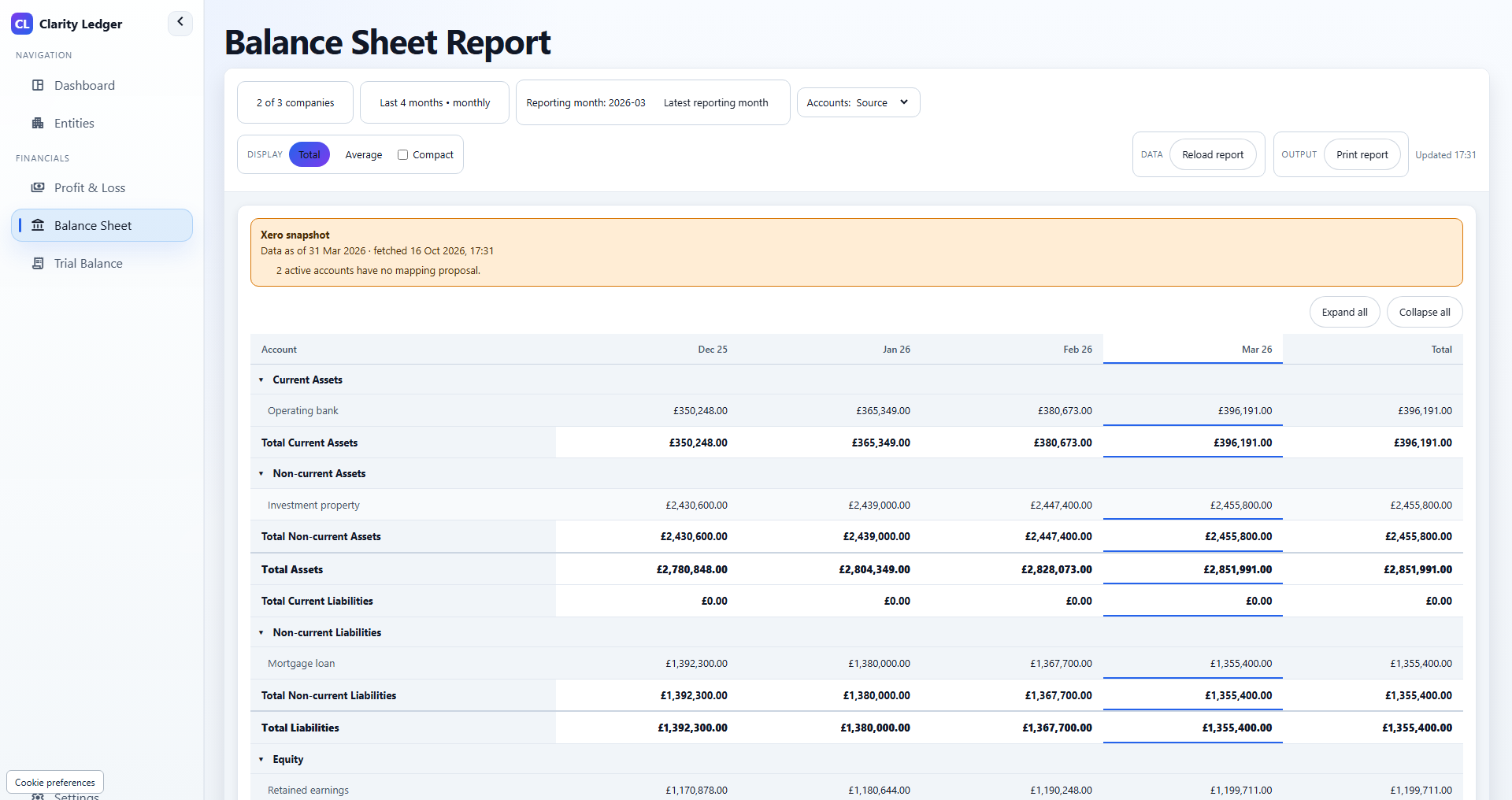
Balance sheet reporting for your portfolio
Review assets, liabilities, and equity at the selected reporting dates using saved Xero balances.
- バCompare the financial position of selected GBP companies.
- バInspect Source accounts or group them using Standard mappings.
- バRead closing balances at each reporting date; balance sheet totals are not period sums.
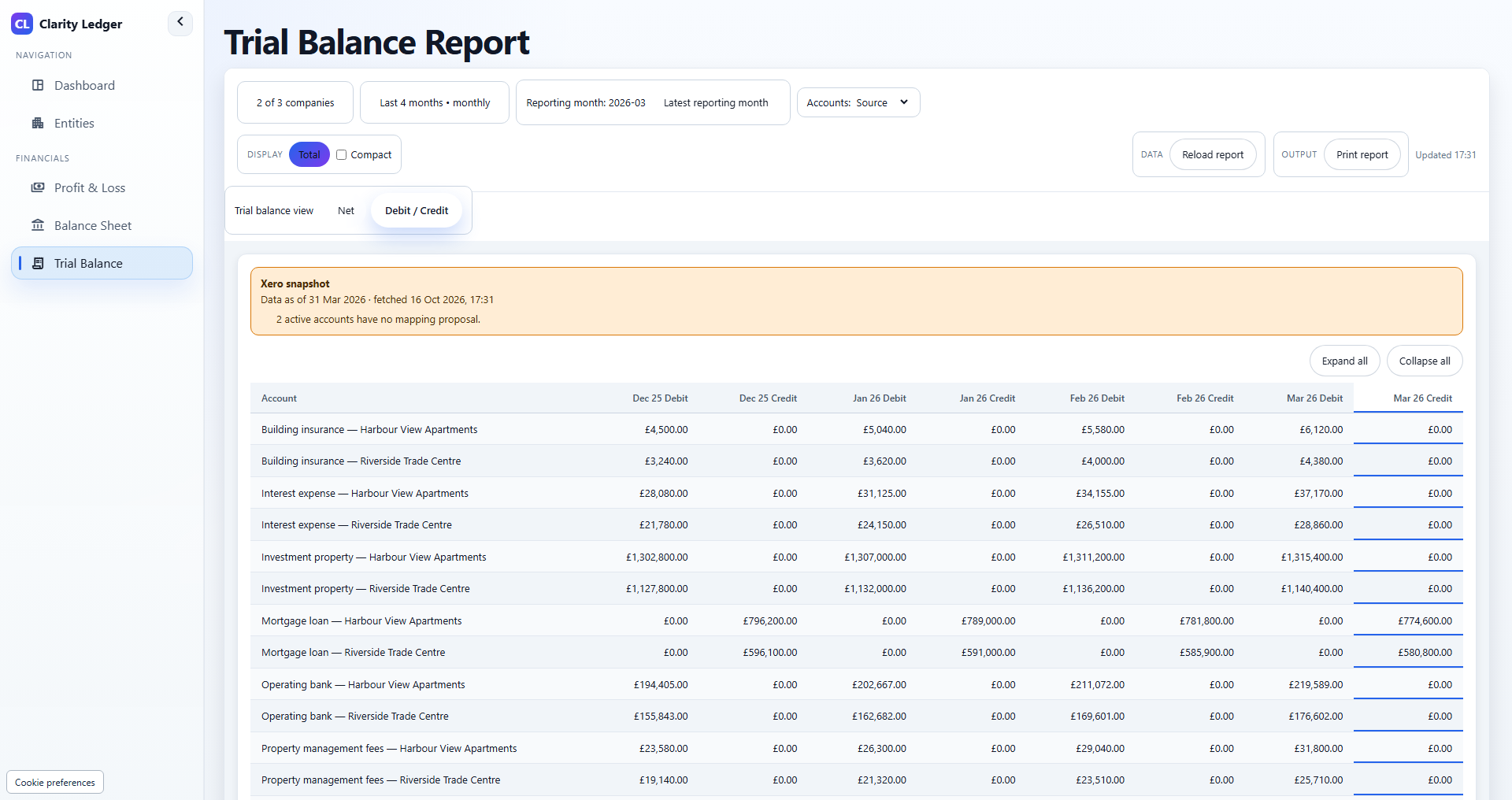
Trial balances with visible mapping gaps
Inspect account balances and mapping coverage before using your portfolio reports.
- バSource view offers net balances or separate debit and credit columns.
- バStandard view uses net balances and your account mappings.
- バUnclassified balances stay visible so missing mappings can be reviewed.
Ready to see it in action?
Connect selected GBP Xero companies and review your account mappings and financial reports. A 21-day trial is available once per eligible portfolio.
FAQs
Answers to the most common questions about Clarity Ledger.
Frequently asked questions
Built-in clarity on setup, security, integrations, and reporting.